Over the past few years, face recognition has become a standard feature in modern photo management apps.
Search for "Mom," "Kids," or "Friends," and your photo library can instantly surface thousands of related images. Travel photos are automatically grouped by location, memory videos are generated without effort, and even massive collections containing tens of thousands of photos can be organized automatically.
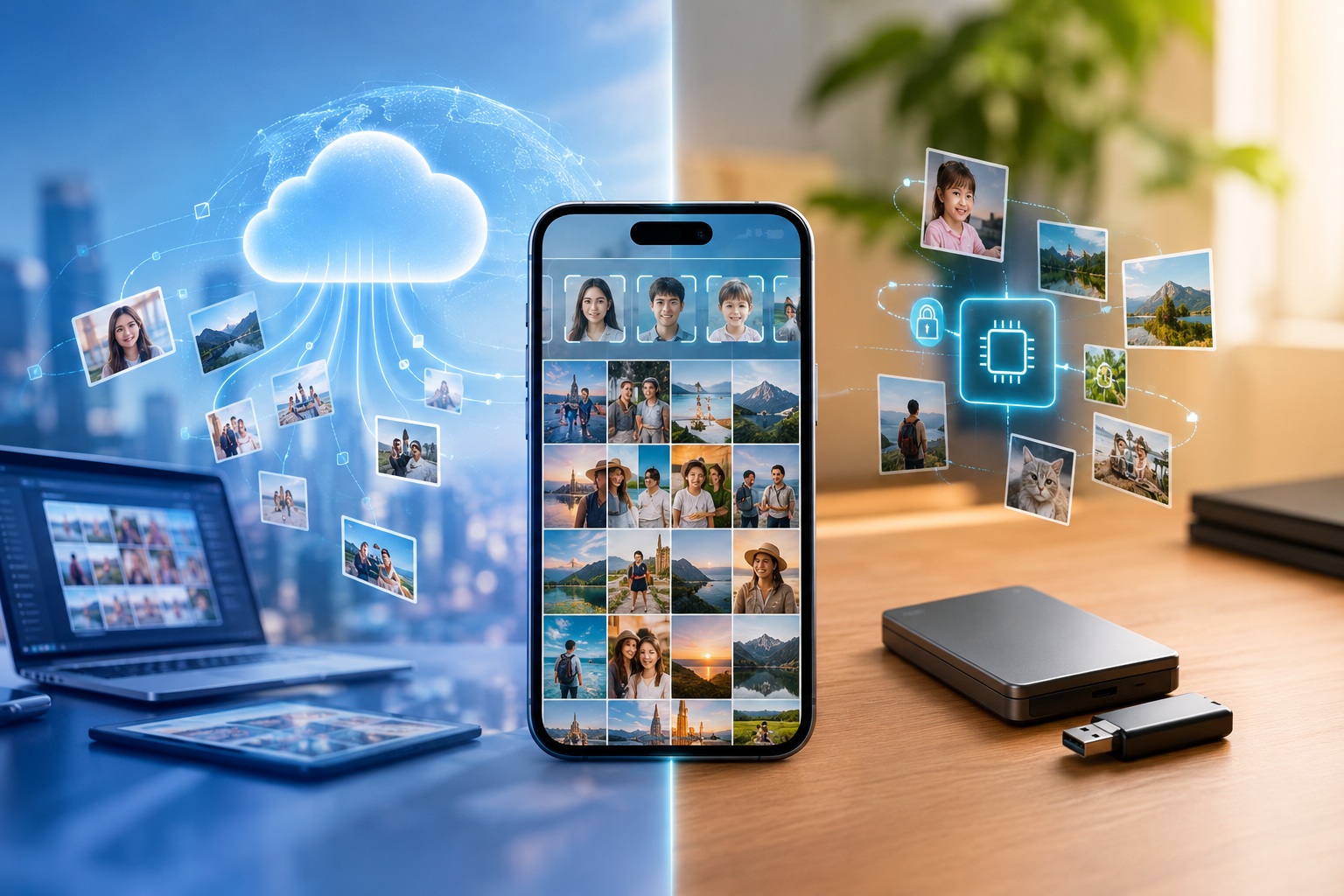
While these capabilities seem commonplace today, the technologies behind them are fundamentally different.
Some products rely heavily on cloud-based AI. Others insist on processing everything locally on the device. Some prioritize automation, while others give users greater control. Some focus on ecosystem integration, while others place privacy at the center of their design.
In this article, we'll compare today's leading face recognition photo apps across five key areas:
- Features and capabilities
- Technical architecture
- User control and correction
- Privacy protection
- Cross-device synchronization
The Main Types of Face Recognition Photo Apps
Today's market can generally be divided into three categories.
Category 1: Cloud-Based AI Photo Services
Representative products:
- Google Photos
- Amazon Photos
- Flickr and other cloud photo services
Core concept:
Photos are uploaded to cloud servers, where AI performs recognition, classification, and search.
Advantages:
- Powerful AI capabilities
- Excellent search experience
- Seamless multi-device synchronization
Limitations:
- Photos must be uploaded
- Dependence on internet connectivity
- Face and image data are stored within cloud ecosystems
Category 2: System-Level Local AI Photo Apps
Representative products:
- Apple Photos
- Samsung Gallery
- Huawei Gallery
Core concept:
Most AI analysis happens directly on the device.
Advantages:
- Better privacy protection
- No reliance on cloud-based analysis
- Deep operating system integration
Limitations:
- Strong ecosystem lock-in
- Limited cross-platform compatibility
Category 3: Next-Generation Local AI Memory Platforms
Representative product:
- Lumin
Core concept:
Rather than simply organizing photos, these platforms aim to build a personal digital memory archive.
Beyond face recognition, they organize memories around:
- Places
- Time
- Events
- Relationships
The goal is to reconstruct a complete memory network from a user's photo collection.
Feature Comparison
At a basic level, most major products offer similar capabilities.
| Feature | Google Photos | Apple Photos | Samsung Gallery | Lumin |
|---|---|---|---|---|
| Face Recognition | ★★★★★ | ★★★★★ | ★★★★☆ | ★★★★★ |
| Face Clustering | ★★★★★ | ★★★★★ | ★★★★☆ | ★★★★★ |
| Person Naming | ✔ | ✔ | ✔ | ✔ |
| Location Grouping | ★★★★★ | ★★★★★ | ★★★★☆ | ★★★★★ |
| Timeline Organization | ★★★★★ | ★★★★★ | ★★★★☆ | ★★★★★ |
| Memory Generation | ★★★★★ | ★★★★★ | ★★★★☆ | ★★★★☆ |
| Face Search | ★★★★★ | ★★★★★ | ★★★★☆ | ★★★★★ |
| Offline Availability | ★★☆☆☆ | ★★★★★ | ★★★★★ | ★★★★★ |
For most users, features such as:
- Finding every photo of a specific person
- Grouping travel photos automatically
- Creating yearly memory collections
have become standard expectations.
The real differences lie not in what these apps do, but in how they do it.
Cloud AI vs. Local AI
Google Photos: The Cloud Computing Approach
Google Photos represents the cloud AI model.
Its workflow is straightforward:
Upload Photos → Cloud Analysis → Results Returned
Because Google operates massive cloud infrastructure, it benefits from:
- Extremely powerful search capabilities
- Continuous model improvements
- Large-scale AI processing
The trade-off is equally clear:
Your photos leave your device.
For many users this has become normal, but fundamentally, you're exchanging personal data for AI convenience.
Apple Photos: The On-Device AI Approach
Apple chose a different path.
Face recognition, people clustering, and scene analysis are largely performed directly on the device.
Users gain intelligent organization without needing to upload photos for AI processing.
Advantages:
- Local processing
- Offline functionality
- Reduced privacy risks
However, it comes with a significant limitation:
Its ecosystem is largely confined to Apple devices.
For users who own:
- Windows PCs
- Android phones
- iPhones
moving data across platforms can be challenging.
Lumin: Local AI Memory Management
Lumin follows a local AI philosophy similar to Apple Photos.
Face recognition, location analysis, and memory construction all occur on the user's device.
However, its focus differs from traditional photo apps.
It is designed around memories rather than photos.
The system organizes information through:
- People
- Places
- Time
to build a personal life archive.
When viewing a person, users can explore not only photos but also:
- Places visited together
- Shared life events
- Visual changes over time
The result feels closer to a personal digital memory museum than a conventional photo gallery.
How Much Control Do Users Have?
This is one of the most overlooked aspects of photo management.
No face recognition system is perfect.
Children grow up, people age, faces are partially covered, and old photos may be blurry.
Every system makes mistakes.
Google Photos
Supports:
- Person naming
- Face group merging
- Removing incorrect matches
However, the AI remains the primary decision-maker.
Users mostly correct mistakes after the fact.
Apple Photos
Supports:
- Person naming
- Face merging
- Manual corrections
Users have slightly more influence, but the experience remains highly automated.
Lumin
Lumin gives users significantly more control.
Users can:
- Name individuals
- Merge face groups manually
- Split incorrectly grouped people
- Continuously refine their people database
In this model, AI is not the sole authority.
Instead, users actively participate in improving the memory network over time.
For libraries containing tens of thousands of photos, this often produces results that better match real-world relationships.
Privacy: The Biggest Differentiator
Photo leaks are concerning.
Biometric leaks are far more serious.
You can change:
- A password
- A phone number
But you cannot change your face.
As a result, the most important question is not how accurate face recognition is.
It's where the face data lives.
Google Photos
Cloud-based architecture.
Strong AI capabilities, but photos and related analysis data become part of the Google ecosystem.
Apple Photos
Primarily device-side processing.
Photos remain on the user's device whenever possible.
It is one of the most mature privacy-oriented consumer photo platforms available today.
Lumin
Lumin pushes this philosophy even further.
Its design principles include:
- No photo uploads
- No video uploads
- No face feature uploads
- No cloud-based face databases
- No dependence on cloud AI analysis
This reduces the risk of data exposure at the architectural level.
Rather than relying on privacy promises, the system minimizes data collection from the start.
Cross-Device Synchronization: The Overlooked Factor
Most people assume synchronization means cloud synchronization.
That assumption largely comes from services like Google Photos.
But cloud syncing is not the only option.
Google Photos
Advantages:
- Automatic synchronization
- Excellent cross-platform support
Disadvantages:
All data passes through cloud servers.
Apple Photos
Relies on iCloud.
Excellent within Apple's ecosystem.
Limited flexibility outside it.
Lumin
Takes a different approach:
Encrypted Offline Synchronization.
Users can transfer their photo libraries and face databases using:
- USB drives
- Portable SSDs
- Private storage devices
- NAS systems
This enables synchronization between:
- iPhone ↔ Android
- iPhone ↔ Windows
- Android ↔ Mac
- Multiple personal devices
without involving third-party cloud services.
The model can be summarized as:
Local AI + Local Storage + Encrypted Synchronization
A relatively rare approach in today's photo management industry.
Which Solution Is Right for You?
Choose Google Photos if:
- You frequently switch devices
- You rely heavily on cloud backup
- You want the strongest AI search capabilities
Choose Apple Photos if:
- You are deeply invested in the Apple ecosystem
- Privacy is important to you
- You primarily use Apple devices
Choose Lumin if:
- You maintain a large photo and video collection
- You want long-term memory preservation
- You prioritize biometric privacy
- You prefer not to upload personal photos
- You need true cross-platform photo management
Final Thoughts
For the past decade, the industry has focused on one question:
How can AI become smarter?
Google Photos answered:
Move photos to the cloud.
Apple Photos answered:
Bring AI to the device.
Now a new generation of local AI platforms is asking a different question:
Once AI becomes powerful enough, can users regain control over their photos and memories?
For people who increasingly care about privacy, ownership, and digital sovereignty, that question may matter far more than a few extra percentage points of recognition accuracy.
Because photos are more than data.
They are the story of a life.